Screen Printing Dryer
Professional designer and manufacture of CCD machines for ONE STOP SOLUTION.
Language
Professional designer and manufacture of CCD machines for ONE STOP SOLUTION.
After printing, the material requires a surface drying process.
During the drying process a vertical hot air oven is used.
The oven has an operating panel, which I will introduce to you one by one.
When it is in operation, the first you need to do is turn on the power to the oven.
There is a power switch shown on it and when the power switch is turned on the oven is energised.
During normal operation, there is an emergency stop button.
Mechanical keys and operation interface basic key introduction
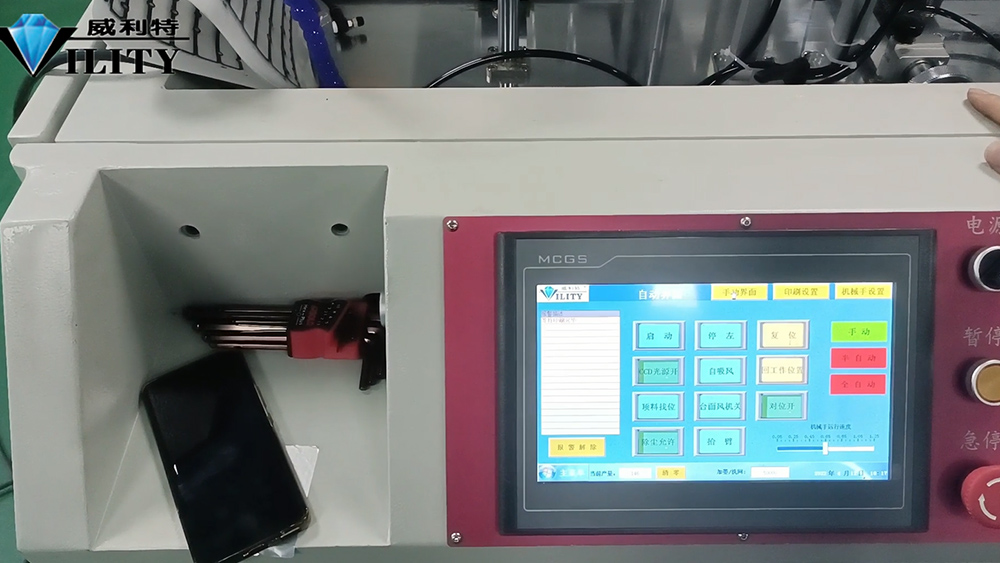
When there is an emergency problem to deal with, press it and all action will automatically stop and the oven will not continue to run.
It can be used during normal operation if there is an abnormality.
When the oven is started, the first step is to warm it up. ABCD represents the four oven temperature control zones.
Then the heating switch has to be turned on for heating.
After the heating switch has been turned on, the switch for the blower type heat sending motor should also be turned on.
As well as the exhaust gas switch needs to be turned on. This is because exhaust gases are generated when baking in the oven.
The suction fan has to be switched on.
On the other hand, once the oven is on, we need to set the desired drying conditions.
For example, for the material that I am printing today, the SOP indicates that a drying temperature of 100℃ is required.
So how do we adjust it? If we want 80°C or 120°C next time, how do we adjust the temperature?
There are four buttons on the display of each thermostat, from left to right.
First press the second button on the right to turn it on.
The temperature is now 74°C. If you want to set it to 100°C, for example, press the up arrow to raise the temperature to 100°C.
Then just press the second button and click on confirm.
Then again, this is how each interface looks like.
Each zone needs to be heated to the temperature required by the SOP in practice.
Having just confirmed this, our set temperature is now OK. The oven will now start to heat up automatically.
There is a Receiving Speed switch and a Manual/Automatic switch. I'll explain what this is.
The Receiving Speed controls the speed of the Receiving shaft in this oven.
Depending on the actual printing situation, if the printing speed is faster then it can be adjusted appropriately faster.
When printing at a slower speed, turn to the left appropriately.
Turning to the right will fast the speed, turning to the left will slow it down.
Of course it also depends on the number above, the larger the number the faster the speed; the smaller the number the slower the speed.
This will depend on the actual printing situation.
It depends on the size of the material and how long it is baking.
In any case, this can be adjusted according to the actual production situation.
There is a manual/automatic switch under the Receiving Speed control panel.
When this switch is in the vertical position in the middle, it is switched off. The receiving shaft will not rotate.
When switched to manual, the receiving shaft will rotate.
In the actual printing process, it may only be needed when changing rolls.
Normally, the automatic receiving is used.
When it is switched to automatic receiving.
A photoelectric sensor will be installed here.
When the material is printed and the sensor senses the material, the receiving shaft will automatically rotate to receive the material.
This must be switched to automatic mode during normal production.
It cannot be switched to manual mode, it must be switched to automatic mode.
When the printing machine is printing normally, the receiver will receive the material normally.
When the printing machine stops, the receiver will also stop automatically.
The above is an explanation of the basic operation of the screen printing machine, feeding machine and oven operating panel.
OK, thank you.
CONSULT OUR CUSTOMERS FOR SURPRISE DISCOUNTS
Please provide us with the information below to complete your request. Just leave your email or phone number in the contact form so we can send you a free quote for our wide range of designs!

VILITY is a Professional manufacturer, providing ONE-STOP SOLUTION for intelligent printing industry.