Sheet to Sheet Screen Printing Machine
Professional designer and manufacture of CCD machines for ONE STOP SOLUTION.
Language
Professional designer and manufacture of CCD machines for ONE STOP SOLUTION.
The following is an introduction to the manipulator, first from the printing settings inside some of the most basic printing parameters issues.
Mechanical keys and operation interface basic key introduction
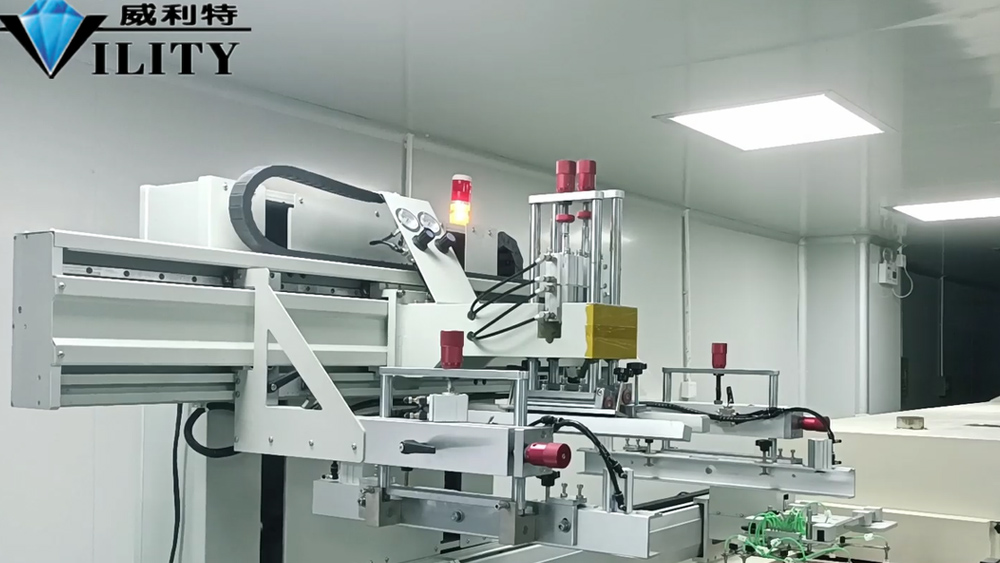
The following is an introduction to the manipulator, first from the printing settings inside some of the most basic printing parameters issues. There are several items inside the printing settings, the first is the automatic squeegee speed, the speed of the automatic ink return knife; this is the printing process according to the characteristics of the ink and printing requirements, after setting the speed of the squeegee and the speed of the ink return knife. This is based on the characteristics of the printing, ink characteristics to set. The third printing capacity setting, this is also the same, for example, today to print a certain order needs to put into production 5000, then set it to 5000; when the printing reaches 5000, it will automatically end. This is set according to the usual production of the material number to set.
There is a manual squeegee speed here, that is to manually go to adjust the squeegee speed size value of the left and right key position. These two arrows below are to adjust the squeegee and ink return knife. Its direction and position can be adjusted by these values. Below this key position there is a "import left position" and "import right position", and the squeegee back to zero. Sometimes when moving the squeegee and re-racking the board, the squeegee can be zeroed first. After the squeegee returns to zero, then set a desired printing range; well, now the squeegee has returned to zero, when the stencil is set up, there is an import left, import right is to set the squeegee stroke. Then the squeegee stroke later I will tell you specifically to adjust the stroke when the back of the frame, for the time being, this piece is not to speak.
Then there is a "Time of printing", of course, now there is a single-color printing and overlay printing several cases, overlay printing is the need to print 2-3 times, a one-time print two to three times. This is based on our production process and their own needs to set. Most are required to print once on the line, that set once on the good.
The following "vacuum break delay", "delayed squeegee", "delayed ink return" these parameters is a fixed value, basically in the usual production after the rarely can be adjusted. Delayed time means how many milliseconds after printing to return to the ink; it means how many milliseconds after the squeegee will be delayed to scrape the print after descending. When the printing table is a vacuum state, then after the printing is finished how long to let the vacuum state to stop, so that the machine pull material. In the production of general these parameters are not used, if it is said to encounter some special circumstances, n the case of pulling material can not be pulled, the parameters can be appropriately increased.
There is a"Remaining dust removal NO." button in the middle, which represents how to dust the dust roller and how many times after the material is placed on it during the printing process. It is normally set once, so you don't need to operate it or change it during printing. This is the interface of the printing settings, so here is the introduction.
CONSULT OUR CUSTOMERS FOR SURPRISE DISCOUNTS
Please provide us with the information below to complete your request. Just leave your email or phone number in the contact form so we can send you a free quote for our wide range of designs!

VILITY is a Professional manufacturer, providing ONE-STOP SOLUTION for intelligent printing industry.