Screen Printing Machine
Professional designer and manufacture of CCD machines for ONE STOP SOLUTION.
Language
Professional designer and manufacture of CCD machines for ONE STOP SOLUTION.
Here's an introduction to the basic operating functions of the screen printer panel.
So first of all, let's look at the panel here. This is the main power switch, which is easy to understand.
When we turn it on, it is switched when it shows ON. When the display shows OFF, it is switched off.
When star the machine,The first step is to turn the power on.
Underneath the power supply is an emergency stop switch, which has the same function as the previous feeding machine.
Mechanical keys and operation interface basic key introduction
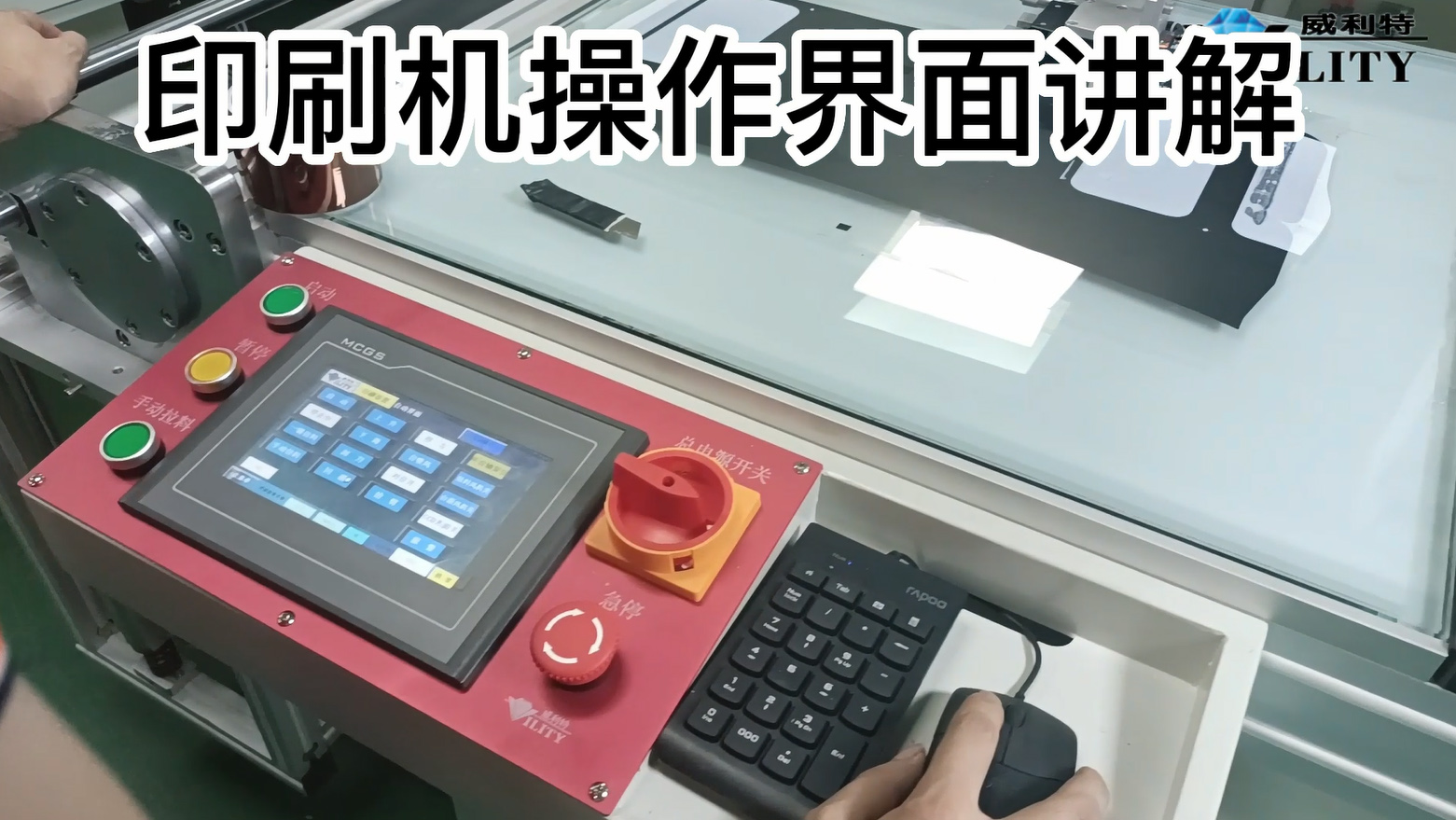
Here's an introduction to the basic operating functions of the screen printer panel.
So first of all, let's look at the panel here. This is the main power switch, which is easy to understand.
When we turn it on, it is switched when it shows ON. When the display shows OFF, it is switched off.
When star the machine,The first step is to turn the power on.
Underneath the power supply is an emergency stop switch, which has the same function as the previous feeding machine.
When there is an emergency and you need to stop the machine, tap it. The machine will then automatically stop.
When the problem has been dealt with, just turn it on.
When the power is turned on, the panel will enter the operating screen.
It will show Welcome to use and a tap will take you into the operating system.
When the machine is switched on, virtually all the shafts need to be reset.
Then click on this first button - Reset All Shafts - and all the functional parts of the screen printer will automatically go to reset.
After the display shows Reset OK, the screen will no longer show Waiting for all shafts to reset, it will disappear automatically.
On the left side of the operating panel there are three buttons, one for start, one for pause and one for manual pulling of the material.
What is the function of each of these three buttons?
The first start button is when the preparation is finished and the printing needs to start, press the start button directly and it will officially start printing.
When there is a problem in the middle of printing, you can press the pause button and the printing will stop automatically.
The manual pullingh is the switch that controls the pull cylinder of the printing machine.
The printing machine needs to keep pulling the material forward while it is printing.
By pressing and holding this switch, the pulling cylinder will automatically pull the material forward.
The manual pulingl button is normally used when there is a problem with the screen set-up.
These are the five switches that are used for this purpose.
CONSULT OUR CUSTOMERS FOR SURPRISE DISCOUNTS
Please provide us with the information below to complete your request. Just leave your email or phone number in the contact form so we can send you a free quote for our wide range of designs!

VILITY is a Professional manufacturer, providing ONE-STOP SOLUTION for intelligent printing industry.