Screen Printing Machine
Professional designer and manufacture of CCD machines for ONE STOP SOLUTION.
Language
Professional designer and manufacture of CCD machines for ONE STOP SOLUTION.
Now we will explain the automatic interface. The automatic interface is the interface in which the printer works fully automatically after normal start-up.
Mechanical keys and operation interface basic key introduction
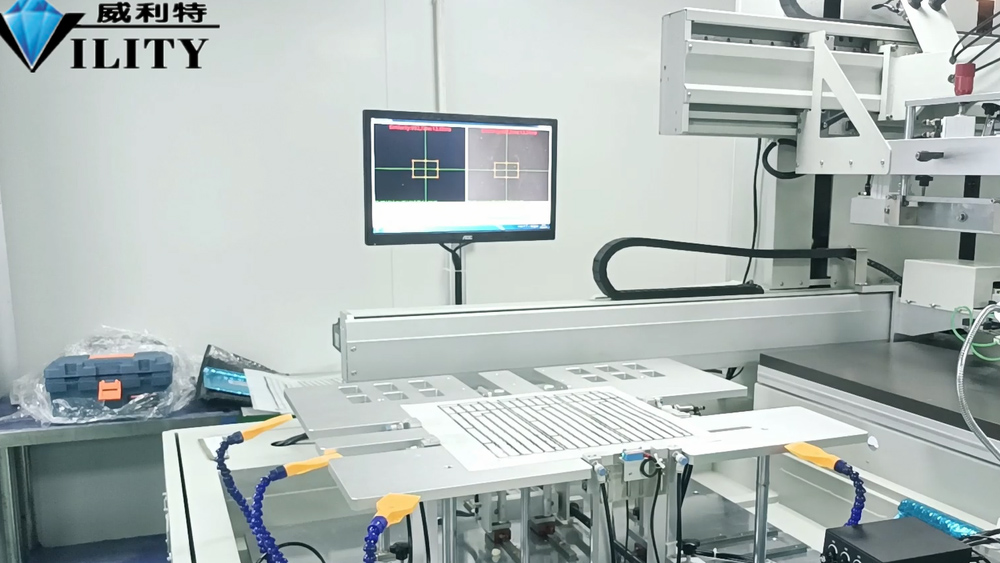
Explanation of the automatic interface
Now we will explain the automatic interface. The automatic interface is the interface in which the printer works fully automatically after normal start-up. Before the machine starts to work when all the preparations are done to go to the normal printing, adjust to the automatic interface. After the automatic interface, there is some reset, back to the working position and manual interface; its functions are the same, including the top material to find the position, dust ban switch and CCD light source switch, stop left, stop right and table suction switch, self-suction air, lift arm these functions are the same as the manual screen.
There are a few more items here, the third key in the first row on the right-hand side is "manual feeding", and what is the meaning of manual feeding? It means that when printing, after the material on the loading table is printed, you need to add material and click on manual loading. When I open the manual loading, the loading table will automatically drop down relative to the pickup axis, and then place a stack of materials neatly. Once the material is loaded, click on the top material to find the position and the loading job is finished. When the loading work is finished, open the robot and restore the loading robot arm to the waiting position. We will explain the robot one by one, and then you will be able to understand how to operate it. In the automatic interface above the lift, squeegee, back to the ink knife, three interfaces, and the manual interface are not the same, the manual interface is not. As for the "lift", it is the lift of the printing arm, and the lift of the stencil. Point up and point down when the stencil will rise and fall. Squeegee, ink return knife is also to control the squeegee up and down and ink return knife up and down. This is the manual interface, automatic interface, and the function of the screen keys, to introduce you here.
CONSULT OUR CUSTOMERS FOR SURPRISE DISCOUNTS
Please provide us with the information below to complete your request. Just leave your email or phone number in the contact form so we can send you a free quote for our wide range of designs!

VILITY is a Professional manufacturer, providing ONE-STOP SOLUTION for intelligent printing industry.